Free · Offline · On-device
Just talk. It's typed.
Hold a key and speak, and your words flow straight into whatever app you're in. Let go, and they're in. Watching your speech turn into text as you talk is hard to give up once you've felt it — and it all works offline.
Two modes, one app
Hold a key. Talk. Get text.
Two shortcuts you can use from any app. They run at the lowest level of macOS, so they never clash with what you're working in — and you can remap either one in Settings.
-
fn Space
Press and talk — text appears
Press, talk, and let go. What you said lands right where your cursor is — no clipboard, no AppleScript, straight into the app you're using.
-
fn ⇧Space
Transcribe a call or meeting, on the spot
Press the shortcut and the audio in front of you starts recording and transcribing right away. No setup, no invites. Even a call that starts out of nowhere is caught from the first word.
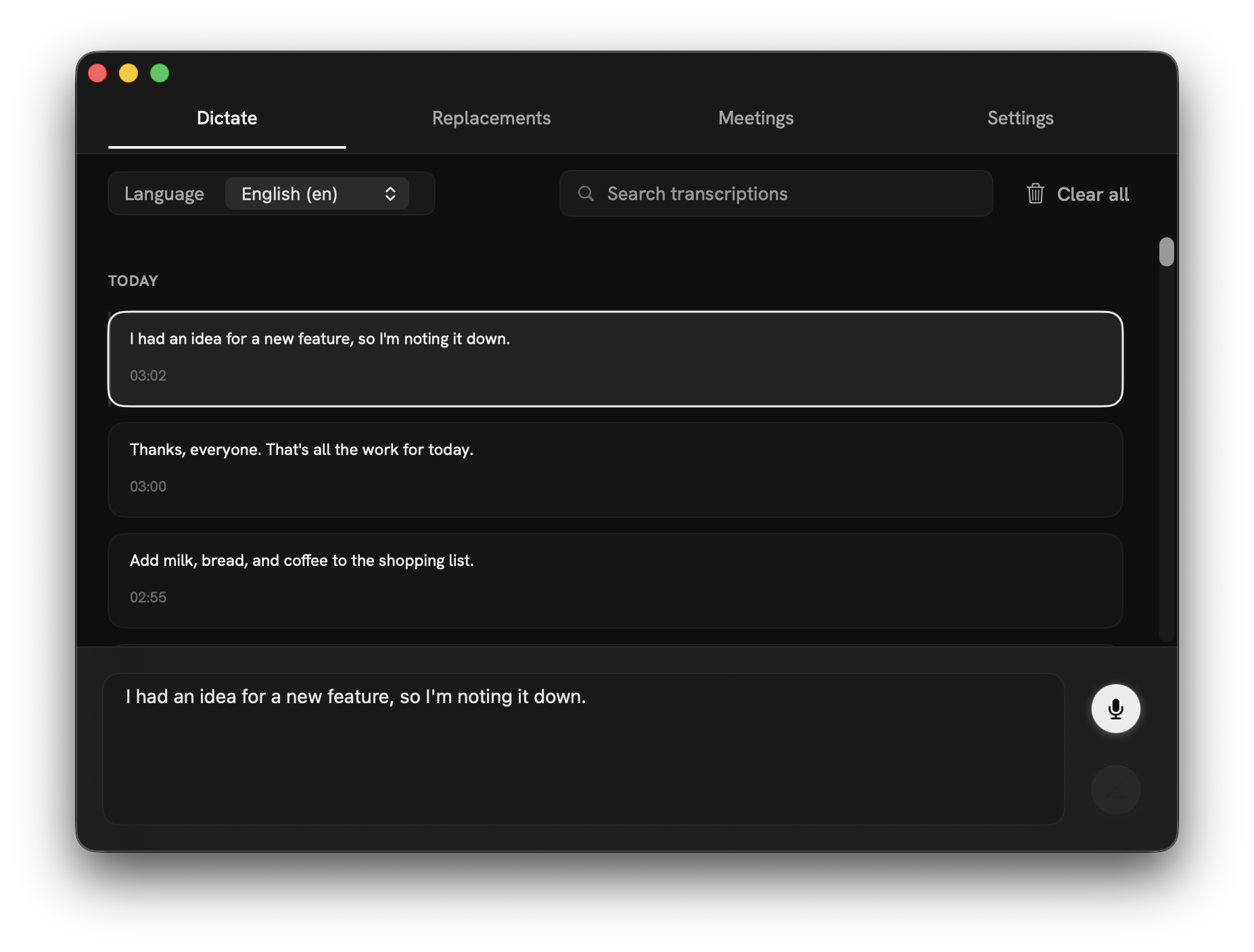
Dictate tab
Everything you dictate stays, ready to revisit.
- Every dictation is saved to your history automatically.
- Edit any entry in place — fix a misheard word after the fact.
- Search to find anything you've dictated before, fast.
- Switch languages to dictate in English, Japanese, and more.
Meetings tab
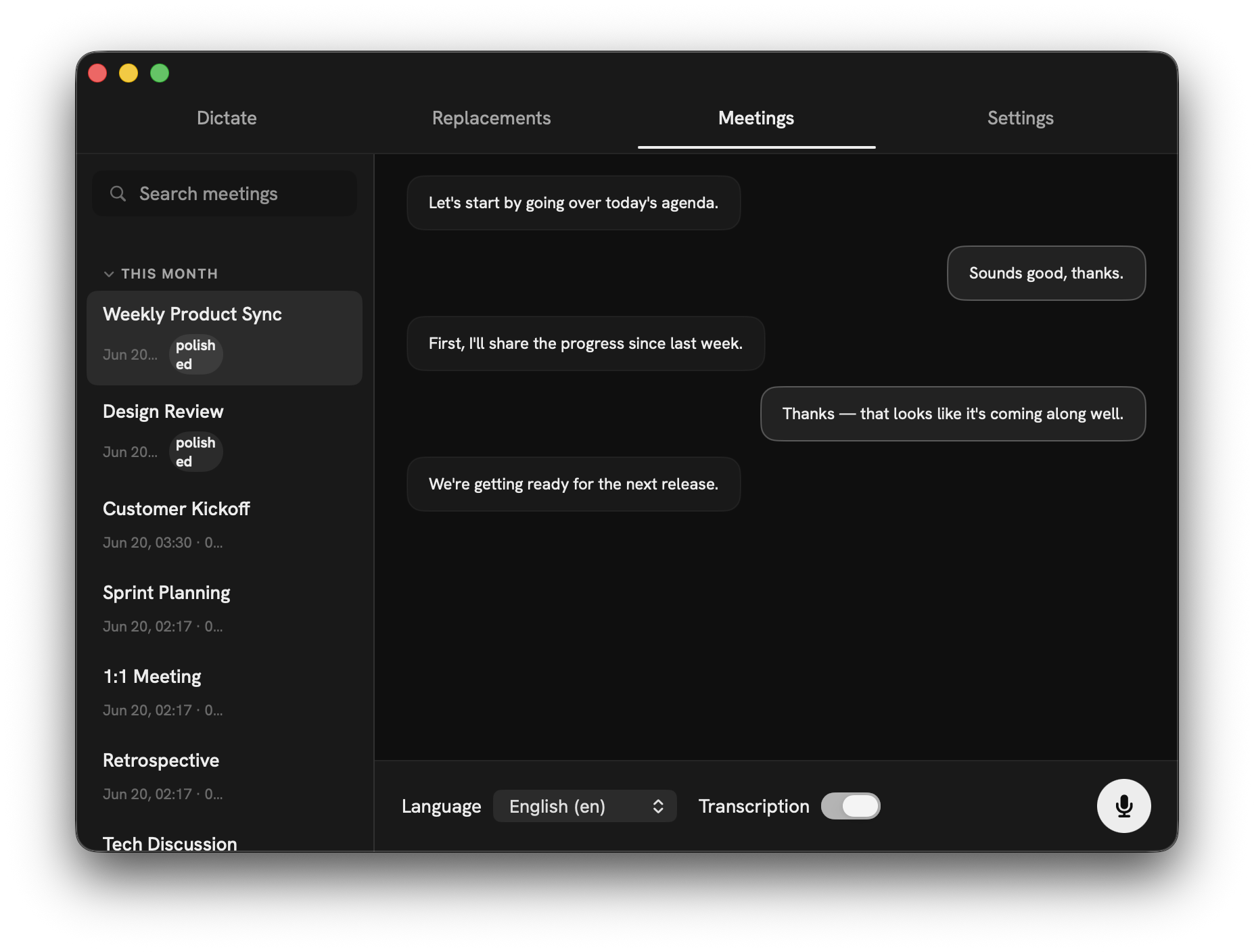
Even a call out of nowhere, transcribed with one shortcut.
When a call comes in out of the blue, or a quick chat turns into a real meeting, there's no time to open a notes app or set up a recording. With Hush, one shortcut starts transcribing on the spot — no bot to invite, nothing to prepare. What's said becomes text as it happens, and when you're done you can copy the whole transcript in one click — ready to paste into your minutes, a summary, or a shared note.
- No setup, no invites. One shortcut starts recording — capture a sudden call or an impromptu huddle from the very first word
- Copy the whole transcript in one click when you're done — paste it raw, or AI-polished, into your minutes or a summary
- A live transcript appears during the call, with their words and yours laid out separately
- Runs steady even over long sessions — RAM stays flat across a four-hour meeting
- Works alongside Zoom, Meet, and Teams — anything that plays through your speakers can be transcribed
On-device by default
Your voice never leaves your Mac.
Transcription runs entirely on your Mac — choose your engine. Apple's built-in Speech is the default: fast, high-quality, nothing to download, managed by the OS (macOS 26+). WhisperKit (Apple-Silicon-optimized Whisper) adds macOS 14+ support, 100+ languages, and Hush's strongest Japanese. With no server round-trip, transcripts appear instantly and in real time — and audio is discarded the moment it becomes text, never written to disk.
-
Apple SpeechBuilt-inDefault · macOS 26+ · no download · OS-managed
-
Whisper Tiny~75 MBFastest · English only
-
Whisper Base~145 MBEnglish-focused · weaker Japanese
-
Whisper Small~466 MBDecent Japanese
-
Whisper Large-v3-Turbo~632 MBStrongest Japanese · recommended WhisperKit model
Apart from update checks and WhisperKit's one-time model download, Hush only goes online if you opt into an AI feature — Polish, voice edit, translation or Cloud Whisper — with your own Anthropic or OpenAI API key. All are off by default.
Why Hush exists
I tried it, fell for it, and built my own.
I used Superwhisper, Whisper Memos, and MacWhisper. Switching from typing to dictation made writing astonishingly fast and easy — talking to write felt better than I'd ever expected, and I couldn't go back.
But a tool you reach for every day, you want to fit your own hand. The way it moves, the way it looks, every little behaviour — exactly how I liked it.
WhisperKit runs locally on Apple Silicon for free. CGEventTap gives you global hotkeys. SwiftUI gives you the UI. I had everything I needed to build the version I actually wanted.
So I built Hush. Fully on-device, and free. Give it a try — I just want more people to feel how good dictation can be.
Sincere respect to the teams behind Superwhisper, Whisper Memos, and MacWhisper. This project exists because they showed what was possible.
Power features
The details that compound.
-
Four designer-curated themes
Minimal Dark / Light (Hanken Grotesk, pure grayscale) and Ember Dark / Light (Geist + JetBrains Mono, warm black or cream paper + vivid orange).
-
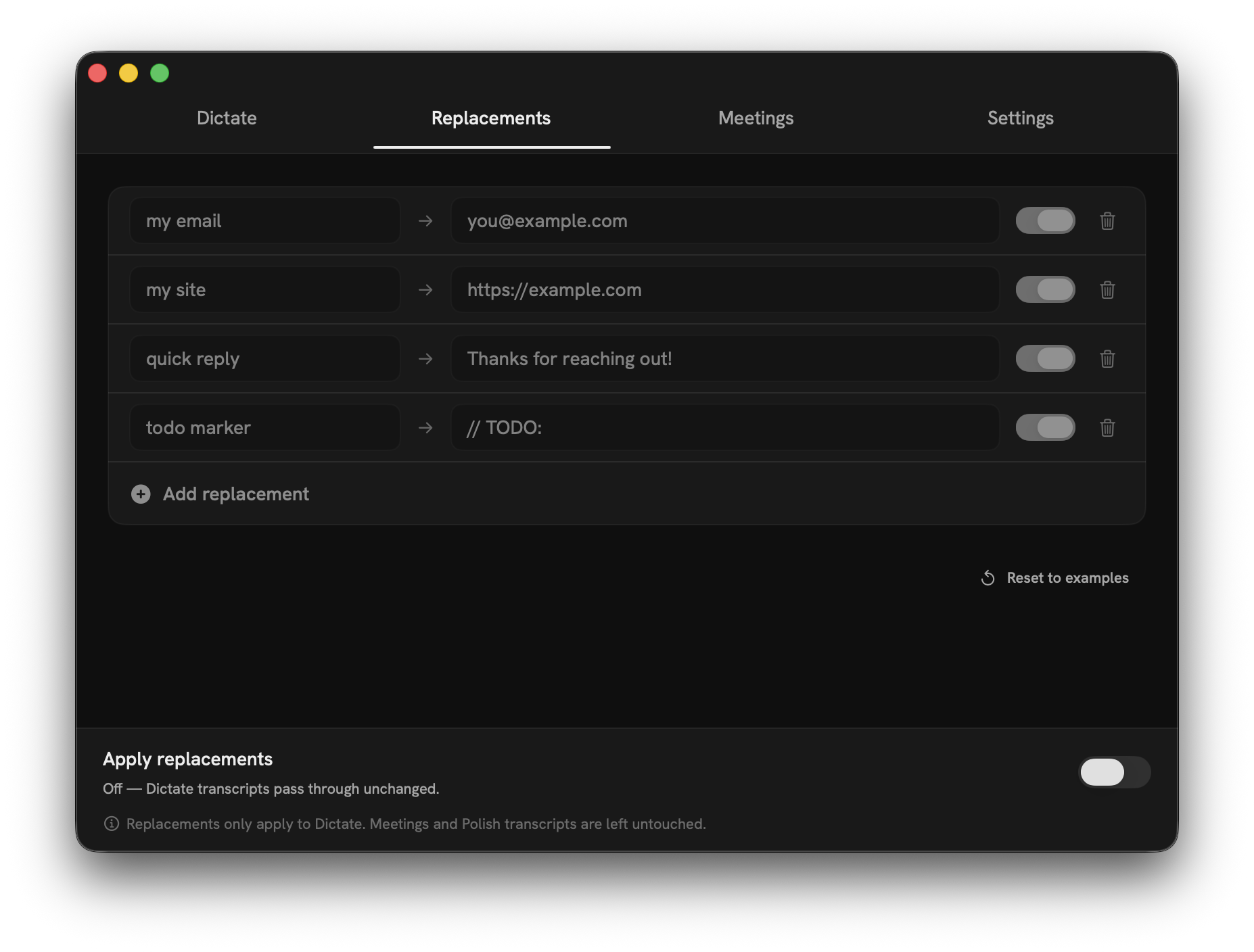
Phrase Replacements
Teach Hush your acronyms, company names, and niche jargon. Your substitutions land exactly the same way every time, applied right after transcription.
-
Optional AI Polish
Run the transcript through Claude (Haiku 4.5 / Sonnet 4.6) or OpenAI (GPT-4o-mini / GPT-4o). Punctuation only, Japanese particles only, or both. Off by default.
-
Compare Mode
Run WhisperKit and OpenAI Whisper on the same clip, side by side, and keep whichever one nails your voice. No default forced on you.
-
Chord-aware hotkeys
fn Space and fn ⇧Space are captured separately at the lowest level via CGEventTap — cleanly swallowed so they never double-fire, and each is rebindable.
-
History & permissions
Up to 100 recent transcripts archived for editing or copy. Microphone and screen recording permissions explicitly requested with plain language.
FAQ
Honest answers.
-
Is it really free?
Yes — Hush is free. No subscription, no purchase, no account; download it and start right away. The only paid part is the optional AI Polish layer, which runs on your own Anthropic or OpenAI API key (billed directly by them) — Hush itself is free to download and use.
-
What macOS version do I need?
Apple's built-in Speech engine — the default, with nothing to download — needs macOS 26 or later. WhisperKit works on macOS 14 (Sonoma) or later. Apple Silicon (M1 or newer) is recommended either way.
-
Does it work offline?
Yes. Apple Speech is built into macOS with nothing to download; WhisperKit fetches its model once (~632 MB for the recommended model). After that, everything works offline — the only network calls are update checks and the optional AI features (Polish, voice edit, translation, Cloud Whisper), which are off by default.
-
Which languages are supported?
WhisperKit supports 100+ languages. Hush is tested most thoroughly with English and Japanese, including Japanese-specific particle correction in AI Polish.
-
Can I record both sides of a Zoom call?
Yes — the Meetings tab captures system audio alongside your mic for live two-speaker transcription. Requires screen recording permission (used only to capture system audio output).
-
What about privacy?
Audio is never written to disk. It lives in a RAM ring buffer and disappears the moment it becomes text. No analytics on transcription content, and no cloud transcript history. Audio is only uploaded if you switch on Cloud Whisper, which sends dictation audio to OpenAI with your own API key.
Download
Get Hush for macOS.
Free. Direct download — notarized by Apple, signed with a Developer ID, auto-updating via Sparkle. No App Store, no account.
Verify the download: run shasum -a 256 Hush-latest.dmg and confirm it matches the checksum file above.
Developer ID signed & notarized. Already installed? Hush checks for updates automatically (Sparkle).